Hacking Belkin F6D4230-4D1

Hacking Belkin F6D4230-4D1
Device Info
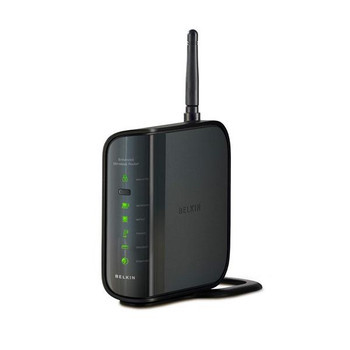
- Model: F6D4230-4D1
- Type: Consumer N150 Wi-Fi router (802.11b/g/n, 2.4 GHz)
- Year: 2009 (FCC approved January 2009, retail ~June 2009)
- Status: End-of-life / obsolete
This is the first login script when going into the firmware. We noticed that there are multiple login shells. A few things we tried to exploit was the U-Boot versions - no dice. Next we looked around at trying to change where the boot location went. That didn’t work either.
1
2
3
4
5
6
7
8
9
10
11
12
13
14
15
16
17
18
19
20
21
22
23
24
25
26
27
28
29
30
31
32
33
34
35
36
37
38
39
40
41
42
43
44
45
46
47
48
49
50
51
52
53
54
55
56
57
58
59
60
61
62
63
64
65
66
67
68
69
70
71
72
73
74
75
76
77
78
79
80
81
82
83
84
85
86
87
88
89
90
91
92
93
94
95
96
97
98
99
100
101
102
103
104
105
106
107
108
109
110
111
112
113
114
115
116
117
118
119
120
121
122
123
124
125
126
127
128
129
130
131
132
133
134
135
136
137
138
139
140
141
142
143
144
145
146
147
148
149
150
151
152
153
154
155
156
157
158
159
160
161
162
163
164
165
166
167
168
169
170
171
172
173
174
175
176
177
178
179
180
181
182
U-Boot 1.1.3 (Sep 24 2008 - 14:30:00)

Board: RT2880 DRAM:   8 MB
relocate_code Pointer at: 80794000

 twe0 set to <NULL>

 toe0 set to <NULL>

 MX_ID_29LV160DB, Size = 00200000 bytes

 Set info->start[0]=BFC00000
flash_protect ON: from 0xBFC00000 to 0xBFC27A07
protect on 0
protect on 1
protect on 2
flash_protect ON: from 0xBFC2E000 to 0xBFC2EFFF
protect on 2
*** Warning - bad CRC, using default environment

============================================
Ralink UBoot Version: 3.1
--------------------------------------------
ASIC 3052_MP1 (MAC to GigaMAC Mode)
DRAM COMPONENT: 64Mbits
DRAM BUS: 16BIT
Total memory: 8Mbytes
Date:Sep 24 2008  Time:14:30:00
============================================
icache: sets:128, ways:4, linesz:32 ,total:16384
dcache: sets:128, ways:4, linesz:32 ,total:16384

 ##### The CPU freq = 320 MHZ ####

SDRAM bus set to 16 bit
 SDRAM size =8 Mbytes

***************DRIVER INFO*****************

DRIVER BUILD DATA: Sep 24 2008 at 14:30:04
DRIVER VERSION: R1.00

*******************************************
mac address in flash is:00:22:75:d2:cc:ee
have eRcOmM
PushButton = 0

Please choose the operation:
   1: Load system code to SDRAM via TFTP.
   2: Load system code then write to Flash via TFTP.
   3: Boot system code via Flash (default).
   4: Entr boot command line interface.
   9: Load Boot Loader code then write to Flash via TFTP.
   a: Sercomm Assign.
   d: Sercomm Download.

You choosed 3
                                                         0

3: System Boot system code via Flash.
## Booting image at bfc40000 ...
   Image Name:   Linux Kernel Image
   Created:      2009-07-20   8:47:26 UTC

 System Control Status = 0x20400000
   Image Type:   MIPS Linux Kernel Image (lzma compressed)
   Data Size:    771439 Bytes = 753.4 kB
   Load Address: 80000000
   Entry Point:  802b9000
   Verifying Checksum ... OK
   Uncompressing Kernel Image ... OK
No initrd
## Transferring control to Linux (at address 802b9000) ...
## Giving linux memsize in MB, 8

Starting kernel ...


LINUX started...

 THIS IS ASIC
Linux version 2.6.21 ([email protected]) (gcc version 3.3.6) #1 Mon Jul 20 16:45:59 CST 2009

 The CPU feqenuce set to 320 MHz
CPU revision is: 0001964c
Determined physical RAM map:
 memory: 00800000 @ 00000000 (usable)
Built 1 zonelists.  Total pages: 2032
Kernel command line: console=ttyS1,57600n8 root=/dev/mtdblock3
Primary instruction cache 16kB, physically tagged, 4-way, linesize 32 bytes.
Primary data cache 16kB, 4-way, linesize 32 bytes.
Synthesized TLB refill handler (20 instructions).
Synthesized TLB load handler fastpath (32 instructions).
Synthesized TLB store handler fastpath (32 instructions).
Synthesized TLB modify handler fastpath (31 instructions).
Cache parity protection disabled
cause = b0800020, status = 1100ff00
PID hash table entries: 32 (order: 5, 128 bytes)
calculating r4koff... 00138800(1280000)
CPU frequency 320.00 MHz
Using 160.000 MHz high precision timer.
Console: colour dummy device 80x25
Dentry cache hash table entries: 1024 (order: 0, 4096 bytes)
Inode-cache hash table entries: 1024 (order: 0, 4096 bytes)
Memory: 4084k/8192k available (2180k kernel code, 4108k reserved, 607k data, 88k init, 0k highmem)
Mount-cache hash table entries: 512
NET: Registered protocol family 16
Time: MIPS clocksource has been installed.
FLASH_API: MAN_ID=C2 DEV_ID=2249 SIZE=2MB
Ralink gpio driver initialized
Serial: 8250/16550 driver $Revision: 1.3 $ 4 ports, IRQ sharing disabled
serial8250: ttyS0 at I/O 0xb0000500 (irq = 37) is a 16550A
serial8250: ttyS1 at I/O 0xb0000c00 (irq = 12) is a 16550A
GDMA1_MAC_ADRH -- : 0x00000000
GDMA1_MAC_ADRL -- : 0x00000000
Ralink APSoC Ethernet Driver Initilization. v1.60  64 rx/tx descriptors allocated, mtu = 1600!
GDMA1_MAC_ADRH -- : 0x00000000
GDMA1_MAC_ADRL -- : 0x726e656c
PROC INIT OK!
2860 version : 1.9.0.0 (Jul 20 2009)


=== pAd = c0000000, size = 231176 ===

<-- RTMPAllocAdapterBlock, Status=0


Device list:eth2	lo	ra0
Lan device eth2,lan_dev= 804b9800
WLan device ra0,wlan_dev = 80414400

WARNING:NO guest DEVICE

phy_tx_ring = 0x00520000, tx_ring = 0xa0520000, size: 16 bytes

phy_rx_ring = 0x00521000, rx_ring = 0xa0521000, size: 16 bytes
GDMA1_FWD_CFG = 10000
Ralink RT2880 gpio driver initialized
================================================================
                      Welcome to AP3050(Jul 20 2009.16:44:49)
================================================================
Timer init...
sizeof(AdmRam) is <27524K>
Usock init...
Init LAN MAC address: 00:22:75:D2:CC:EE
NAT enabled
Begin PCMCIA_init...
ralink cpu type:3050
RX DESC a052e000  size = 1024
<-- RTMPAllocTxRxRingMemory, Status=0
get_wlan_init_profile :: at last, buffer left size 7035
get profile from sc
1. Phy Mode = 9
BSSID NUMBER 1
2. Phy Mode = 9
3. Phy Mode = 9
MCS Set = ff 00 00 00 00
channel 1 rssi -94 dirty 10
channel 2 rssi -127 dirty 1
channel 3 rssi -127 dirty 1
channel 4 rssi -127 dirty 1
channel 5 rssi -127 dirty 1
channel 6 rssi -127 dirty 1
channel 7 rssi -127 dirty 1
channel 8 rssi -68 dirty 11
channel 9 rssi -127 dirty 2
channel 10 rssi -127 dirty 2
channel 11 rssi -80 dirty 11
Main bssid = 00:22:75:d2:cc:ee
The UUID Hex string is:775b6680bfde11d38d2f002275d2ccee
The UUID ASCII string is:775b6680-bfde-11d3-8d2f-002275d2ccee!
<==== RTMPInitialize, Status=0
0x1300 = 00003320
ssid =INOK-PC_Network
auto channel, set wireless channel to 1
Done
Init WAN MAC address: 00:22:75:D2:CC:EF
set wan promisc mode disable
Init bridge...
sizeof(AdmRam) is <27K>
Init success!
Success to launch watchdog with 60 seconds expire time and action id as 1
We found multiple different login shells that are able to be entered into. if you press 4 you can go into the RT3052 shell.
1
2
3
4
5
6
7
8
9
10
11
12
13
14
15
16
17
18
19
20
21
22
23
24
25
RT3052 # printenv
bootcmd=tftp
bootdelay=5
baudrate=57600
ethaddr="00:AA:BB:CC:DD:10"
ipaddr=10.10.10.123
serverip=10.10.10.3
preboot=echo;echo
ramargs=setenv bootargs root=/dev/ram rw
addip=setenv bootargs $(bootargs) ip=$(ipaddr):$(serverip):$(gatewayip):$(netmask):$(hostname):$(netdev):off
addmisc=setenv bootargs $(bootargs) console=ttyS0,$(baudrate) ethaddr=$(ethaddr) panic=1
flash_self=run ramargs addip addmisc;bootm $(kernel_addr) $(ramdisk_addr)
kernel_addr=BFC40000
u-boot=u-boot.bin
load=tftp 8A100000 $(u-boot)
u_b=protect off 1:0-1;era 1:0-1;cp.b 8A100000 BC400000 $(filesize)
loadfs=tftp 8A100000 root.cramfs
u_fs=era bc540000 bc83ffff;cp.b 8A100000 BC540000 $(filesize)
test_tftp=tftp 8A100000 root.cramfs;run test_tftp
stdin=serial
stdout=serial
stderr=serial
ethact=Eth0 (10/100-M)

Environment size: 783/4092 bytes

WE BROKE IT
We tried to get into the root shell by glitching it. After sometime we got a different input than we had before and we thought we got input, the problem it broke itand wouldn’t come back so we had to stop.

References
This post is licensed under CC BY 4.0 by the author.